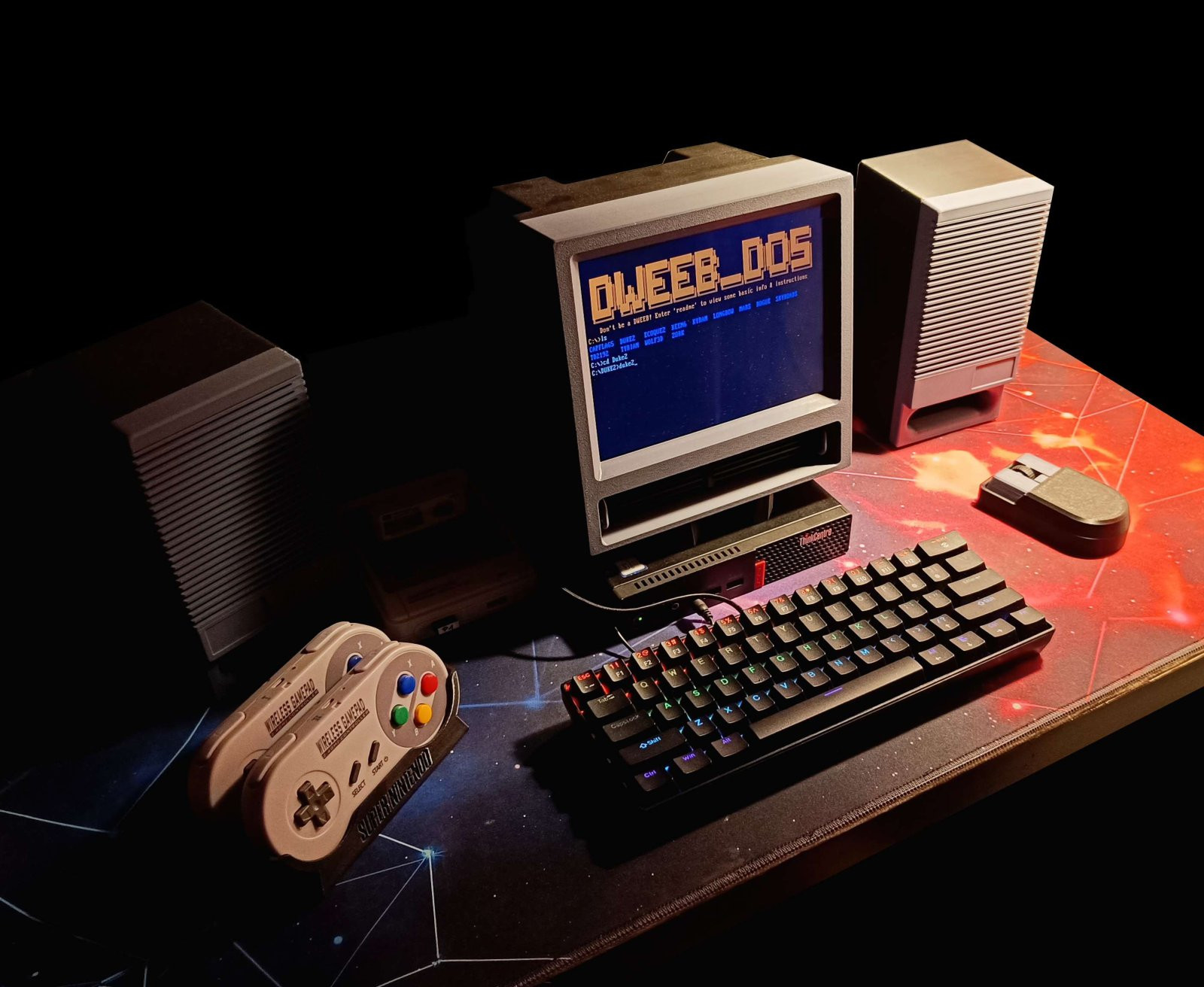
It Started With a Scroll
I wasn't planning to build a retro computer.
I've built retro stuff before, including an arcade machine and a Raspberry Pi-powered SNES, and I've spent my fair share of time emulating Windows 98. But this particular project came out of nowhere.
Earlier that day, I'd been watching one of TechDweeb's YouTube videos, where he was showing off classic games running on his DOSBox setup. Naturally, that got the nostalgia flowing.
Later, I was casually scrolling through MakerWorld in Bambu Studio when I spotted a tiny CRT-looking monitor that reminded me of those old Commodore displays.
I clicked on it.
The display module was surprisingly cheap, the 3D model was already available, and I had a printer sitting there waiting for an excuse to do something.
So why not?
One thing led to another. I found more models, modified a few things, came up with new ideas, and just went with the flow. Somehow, a little 4:3 monitor became an entire retro-inspired setup.
The CRT That Isn't a CRT
My original plan was to make the monitor beige and gray, inspired by an old IBM monitor I used to own.
I loved that thing.
It had a 1024×768 resolution, ran at 50 Hz, and was practically designed to tear your eyes out after a few hours. It also had a rather interesting technical feature: sometimes the picture would disappear because something was wrong with its horizontal deflection.
The solution? A good, solid slap on the side.
We called it the Russian solution. Anyone who grew up around old Eastern Bloc electronics probably remembers the technique. If the television stopped working, give it a smack. If that didn't help, perhaps you weren't trying hard enough.
I'm not recommending this as a modern electronics repair method, by the way!
So naturally, I wanted to recreate the appearance of that old monitor. Not the electrical problems. Those can stay in the past.
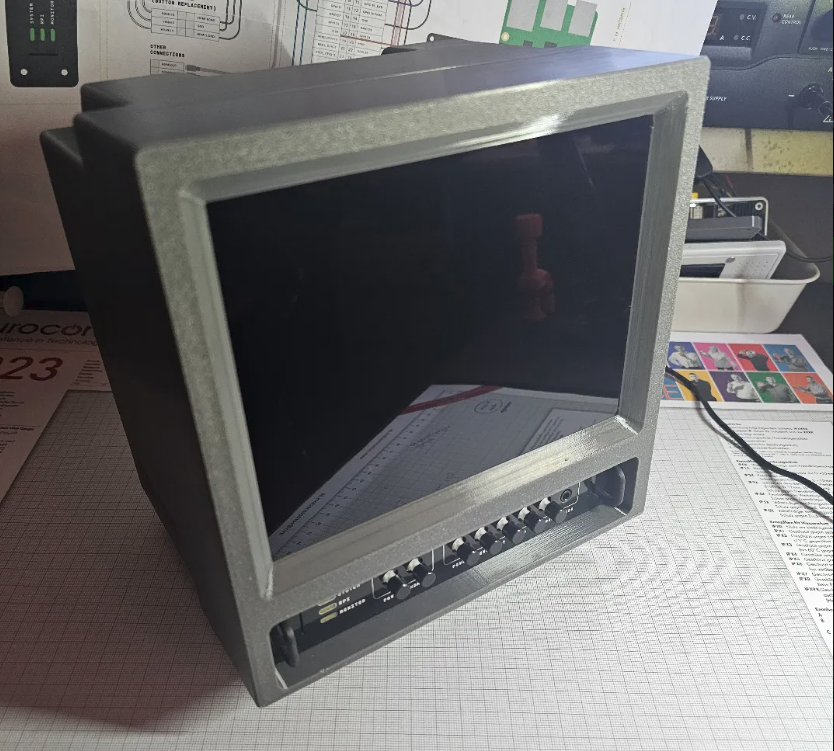
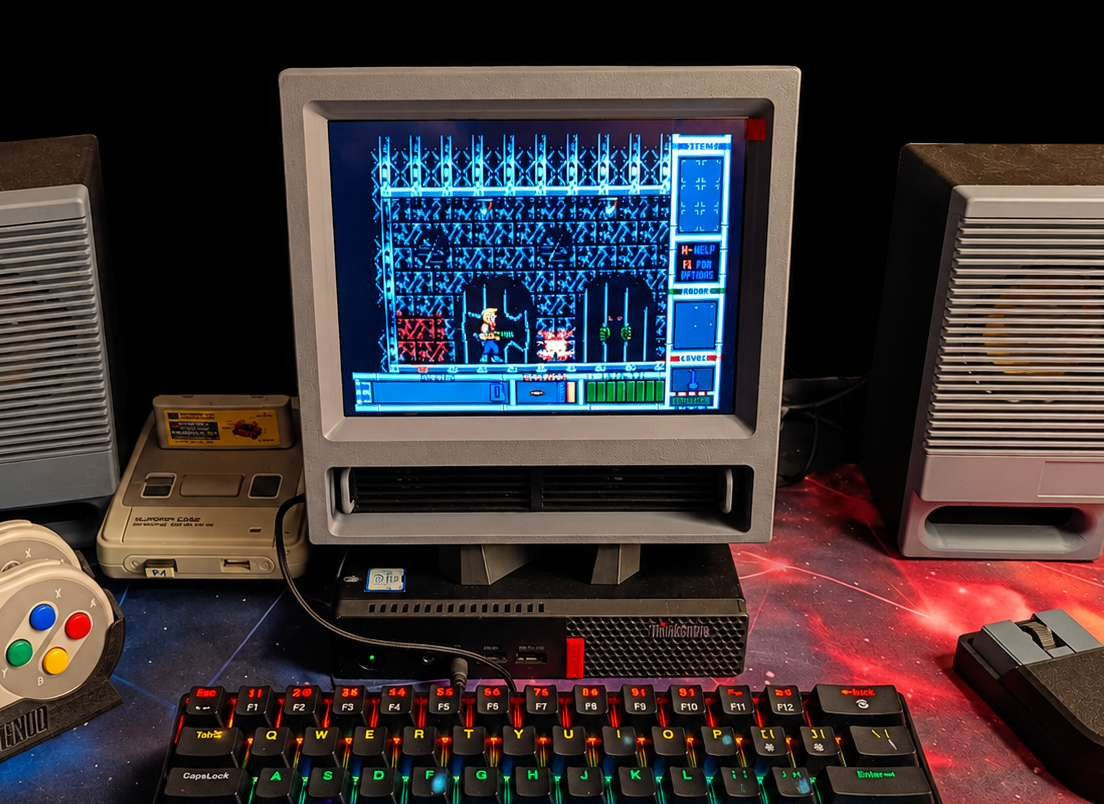
The model I found on MakerWorld was a great starting point, but I wanted to make a few modifications. The original design included space for an internal computer board, something like a Raspberry Pi, with an HDMI switch to select between the internal system and an external source.
I wanted to use external computers, so I ditched the internal board arrangement and adapted the design to support two external HDMI inputs, keeping the input-selection button.
I also redesigned the front panel to accommodate two small 3 W speakers, and modified the rear panel for the connectors: HDMI, AC power and switch, audio input, and volume control.
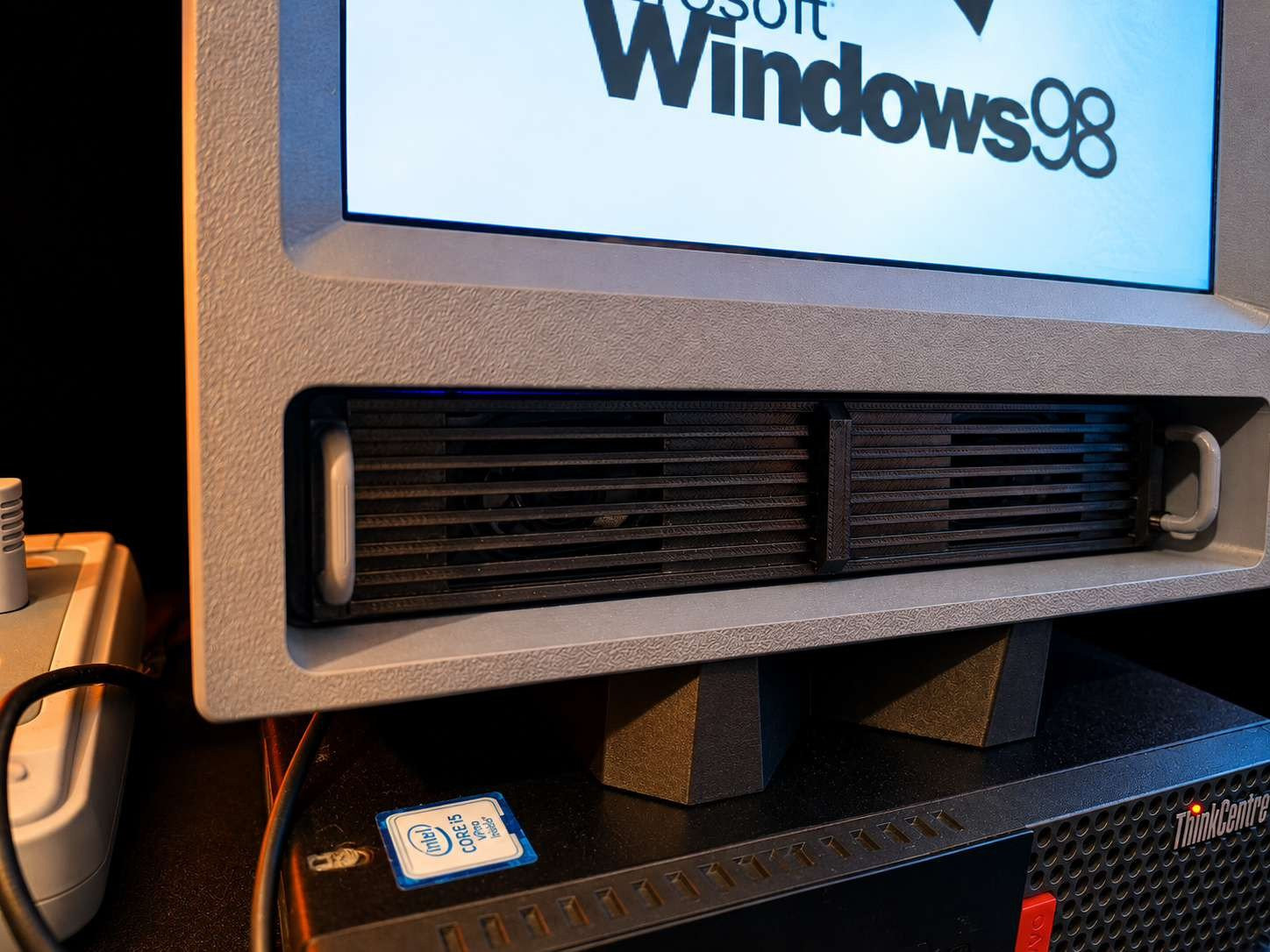
Inside sits an IPS display - And here's the important part: It's 4:3. Not a widescreen display pretending to be retro. An actual 4:3 panel.
That aspect ratio does an incredible amount of work. Old games and operating systems look right, and the whole thing feels much closer to the displays I remember. The IPS panel is sharp and clear, although I wouldn't mind a little more brightness. It's somewhat dim, but still a great little screen for this project.
And unlike my old IBM, it doesn't require physical persuasion to keep the picture working. Progress!
The Accidental Color Scheme
Originally, this was supposed to be a prototype.
I wanted that classic beige-and-gray appearance, but I only had gray and black filament available. So I printed it anyway. And then I looked at the result.
Damn. I actually liked it.
The gray-and-black combination gave the monitor a slightly futuristic look while keeping the retro shape. It wasn't a perfect replica of anything, and somehow that made it better. I decided to keep it.
And when I started building the other components, I stuck with the same colors. A temporary decision became the visual identity of the entire setup.
Sometimes design is about carefully selecting materials and colors.
Sometimes it's about whatever filament you have left on the shelf.
A Modern Computer Pretending It's 1998
Behind the retro appearance is a Lenovo ThinkCentre with an 8th-generation Intel Core i5 processor and NVMe storage.
Not exactly period-correct hardware - But that was never the point.
I'm running Windows 10 with TechDweeb's DOSBox setup, along with PCem for emulating older hardware and Windows 98.
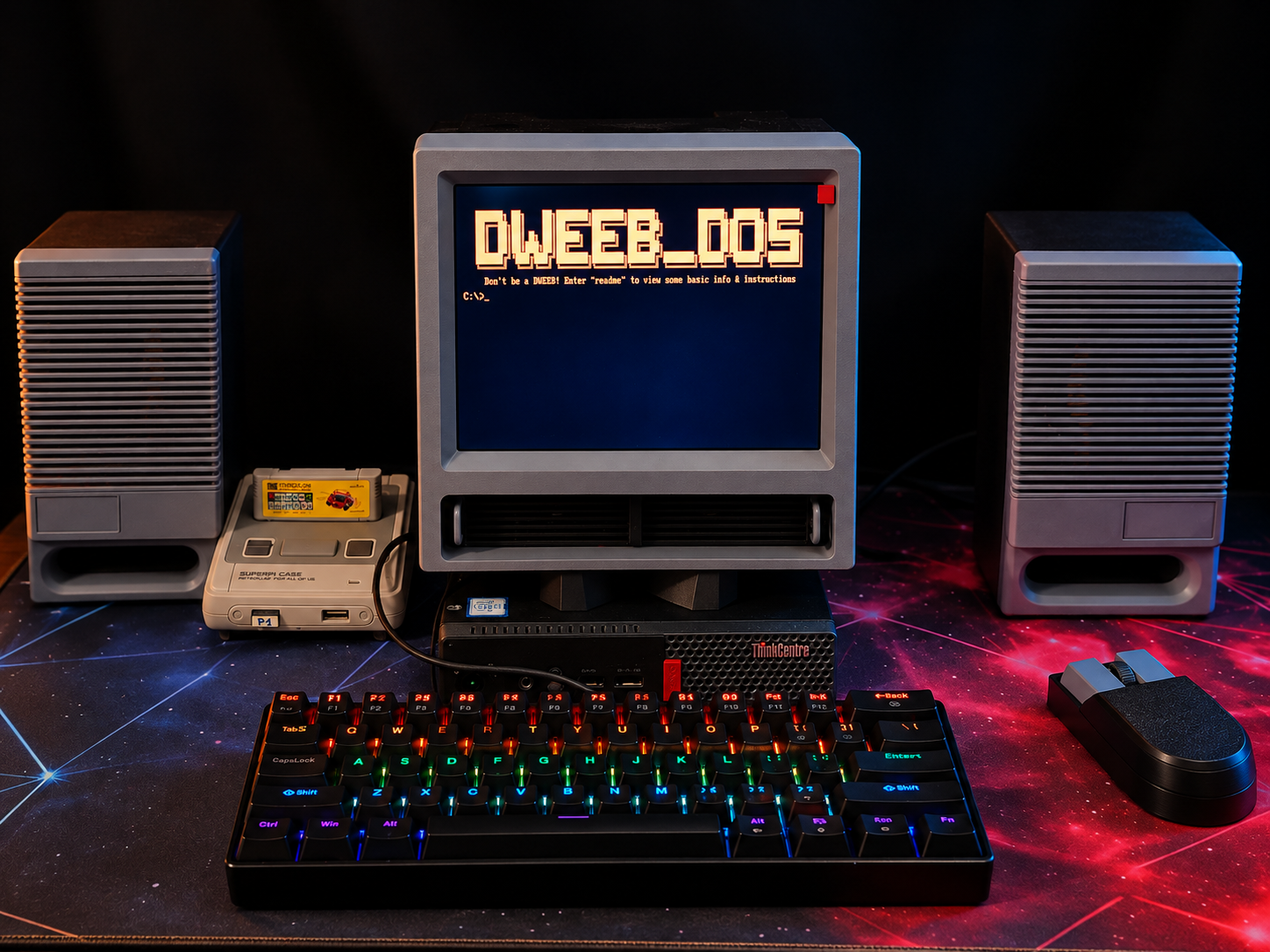
TechDweeb's original YouTube video
I could have hunted down an original Pentium machine, dealt with aging capacitors, ancient hard drives, and all the other joys of old hardware. But I wanted something I could actually use without turning every gaming session into a troubleshooting session.
The ThinkCentre is small, fast, reliable, and more than capable of running what I need.
And the games?
Oh, the games.
Not Doom... No : Duke Nukem II.
That Apogee logo. That intro music.
Goosebumps.
Even through my slightly older, midlife-crisis ears.
There's something about hearing those sounds again that immediately takes me back. It's not just remembering a game. It's remembering what it felt like to play it for the first time. Finding a decent copy of Duke Nukem II nowadays is surprisingly annoying, but that's another story.
Then there's Stunts, one of my all-time childhood favorites. Not because I was particularly good at racing.
Because it had a track editor.
I was about seven years old when I discovered that incredible feature, and naturally, I used all that creative freedom to build a perfectly straight track. No corners. No obstacles. No complicated design.
Just me, pushing the up arrow key to the metal, as if pressing it harder would somehow make the car go faster. I was having the time of my life.
I've also been playing classic StarCraft: Brood War, and Diablo and Dungeon Keeper are waiting for their turn.
And yes, I could play all of these on my modern gaming PC.
But sitting in front of that little 4:3 screen somehow makes the experience feel right.
10% Quality, 90% Nostalgia
Once the monitor was finished, I needed speakers.
I found another model on MakerWorld that looked like it would fit the setup, printed the enclosures in matching gray and black, and installed two 10 W speakers with a volume potentiometer on the side.
I genuinely hoped to build something that sounded good.
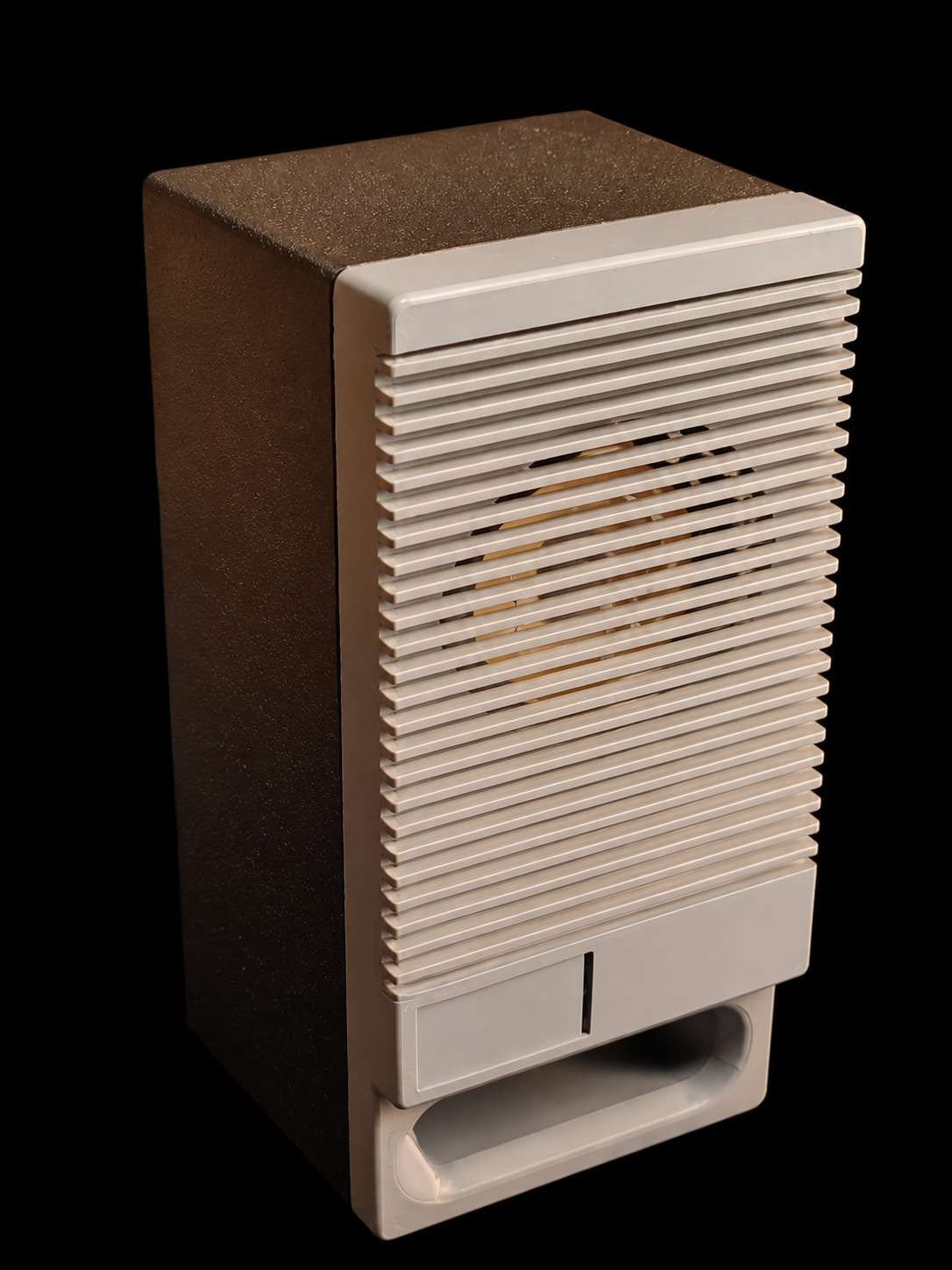
Speaker enclosure MakerWorld model
Then I turned them on.
Oh dear.
No bass. All treble. Everything sounded like it was coming out of an empty liver pâté tin.
I was shocked. But after a while, something strange happened. The nostalgia started kicking in.
Because this was exactly how those little desktop PC speakers sounded back in the day.
Before I had a decent Genius 5.1 system, this was the kind of audio I was used to. And suddenly I could almost hear those old 1998 Summer Hits CDs again. (It's a beautiful life, life, oh ooooh)
That thin, boxy sound. Full highs, no lows. Bass was apparently an optional feature that you had to purchase separately.
For a moment, I loved it... Well, emotionally.
Acoustically, they're still terrible.
I've already bought some mini-woofers to see if I can improve the sound, because nostalgia is wonderful, but I'd also like to keep my hearing. That's still a work in progress.
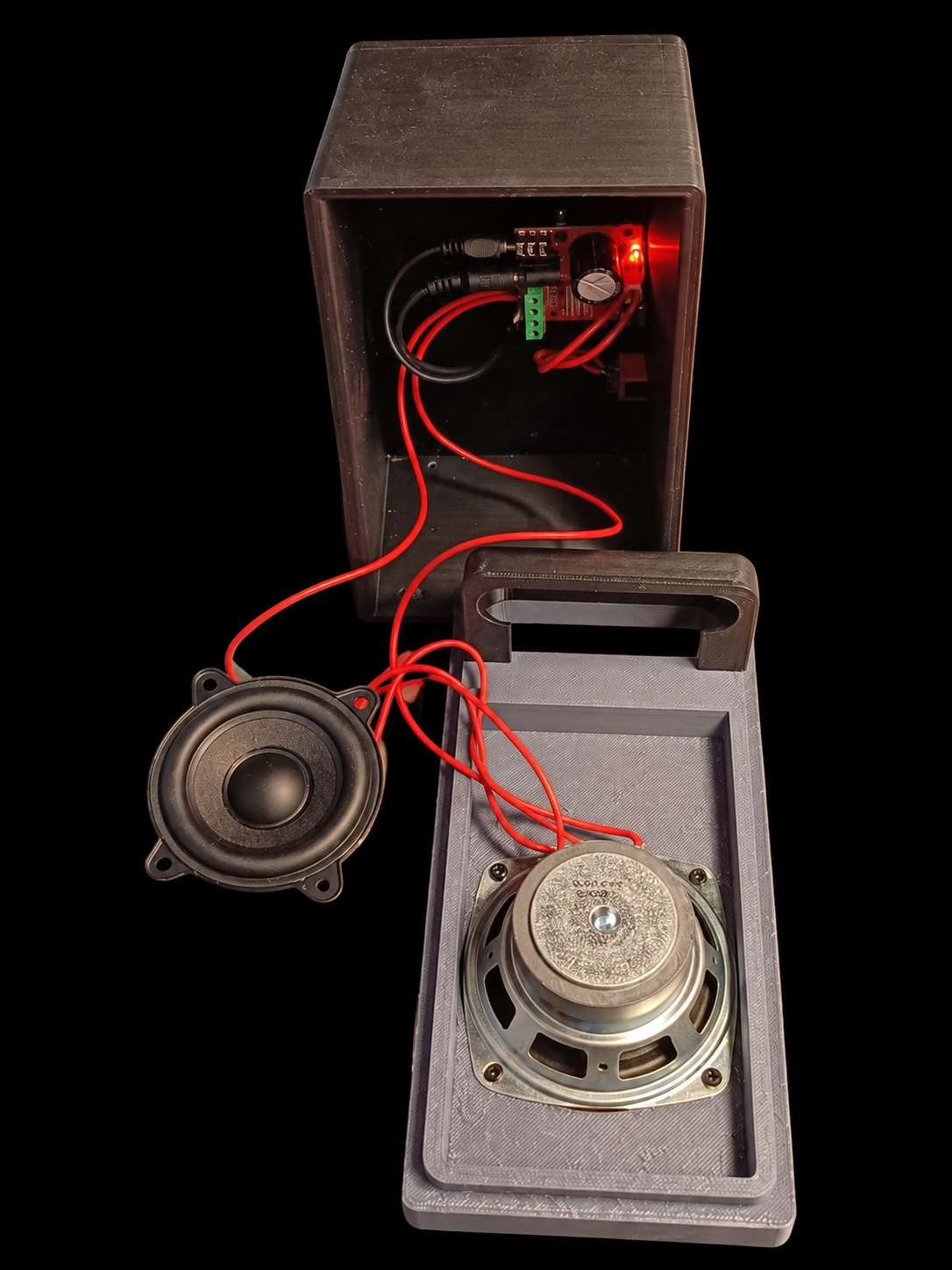
10% quality. 90% nostalgia! (in echo)
Nostalgia Has Its Limits
The mouse was one of the last additions.
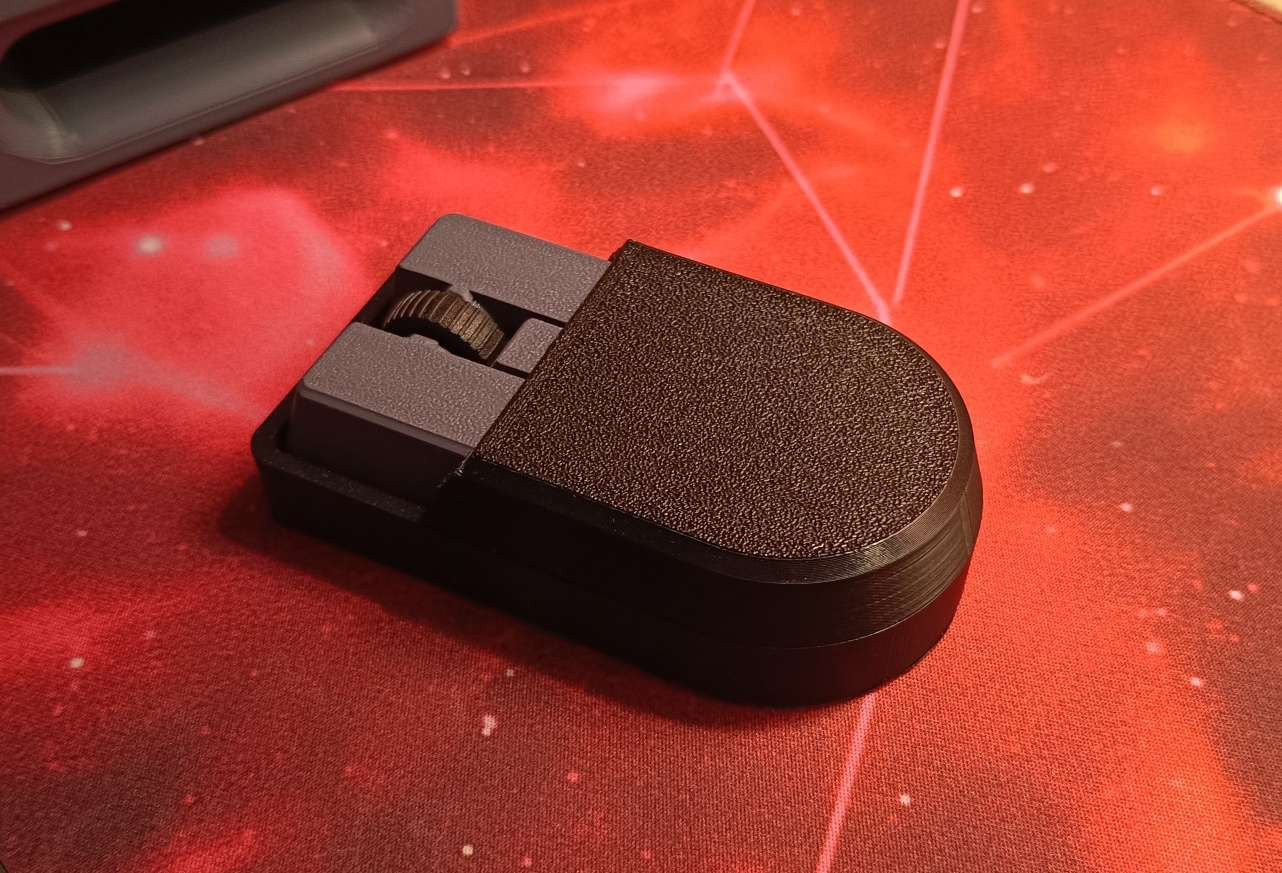
I used Bambu Lab's Mouse Kit 002 with a retro-inspired 3D-printed shell, keeping the gray-and-black theme.
It looks old. But thankfully, it isn't.
People sometimes remember the '90s and early 2000s through a thick fog, as if everything was somehow better back then.
It wasn't.
I love the memories attached to old CDs, cassette tapes, VHS, and the technology we grew up with.
But I've discovered far more great music through streaming than I could have imagined back then. Modern technology has given us some genuinely wonderful things.
And then there's the ball mouse.
Oh, that bloody ball mouse. I was a clean kid. I took care of my stuff. And somehow, those little rubber balls and rollers still managed to collect enough mysterious black goo to qualify as a new life form.
The cursor would jump, stick, shake, or simply refuse to move properly. You'd open the mouse, scrape the dirt off the rollers, put everything back together, and enjoy a few glorious days before the whole process started again.
No, thank you.
Some things deserve to stay in the past. That's why my retro mouse has a modern optical sensor.
Life is short. Get an optical mouse.
The Keyboard Problem
The keyboard is currently a cheap mechanical model with red switches.
It has the sound. It has the feeling. It just doesn't have the look.
And that brings me to another project I've been planning: A modular retro-inspired mechanical keyboard with interchangeable game-specific modules.
One of the first ideas was a StarCraft module, which makes perfect sense considering how much classic StarCraft I've been playing on this machine.
The idea is to build something that combines the look and feel of older hardware with modern electronics, custom modules, and even haptic feedback.
But that deserves its own article.
Probably several.
A Little SNES on the Side
There's another little machine in this setup that predates the CRT project.
A Raspberry Pi 3B housed in a tiny SNES-style case, running RetroPie.
I've had this one for a while, along with wireless SNES controllers, and it fits the whole setup beautifully.
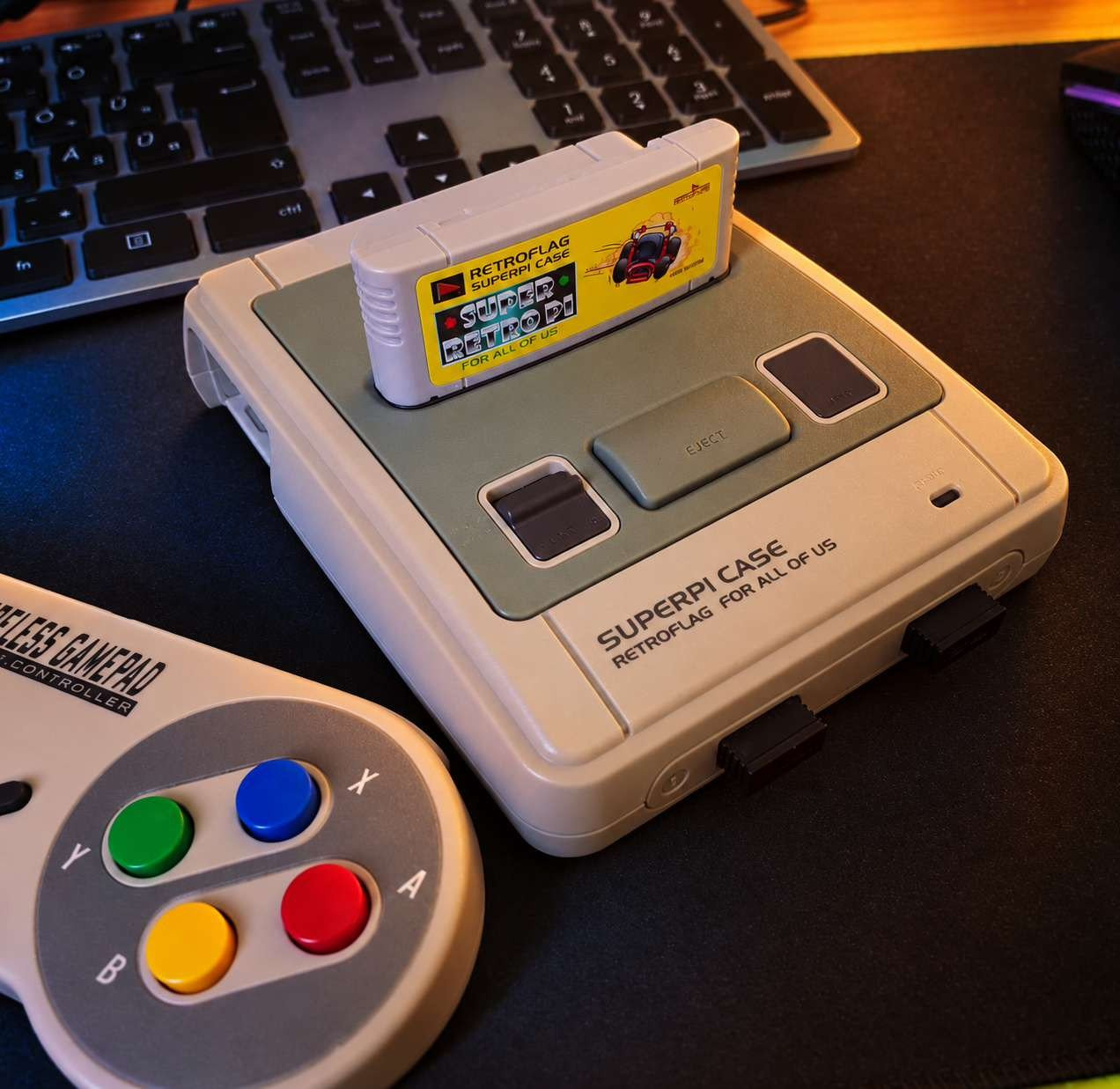
The monitor's second HDMI input makes it easy to switch between the ThinkCentre and the Raspberry Pi without rearranging cables every time.
And one of my favorite things to play on it? Wizard of Wor.
On a 4:3 display. With those gloriously boxy speakers. Pure joy.
Beautiful.
In a slightly terrible sort of way.
Sometimes the things that make you smile aren't necessarily the things that score highest in a technical review.
What's Next?
This setup is far from finished. First, I want to build a proper case for the ThinkCentre.
Not a tower. I'm thinking of those early-'90s horizontal IBM desktop cases, the ones that sat underneath the monitor.
Something with the same gray-and-black color scheme, housing the ThinkCentre, an external USB DVD drive, and a USB floppy drive.
Yes, a floppy drive. Because apparently, I haven't suffered enough.
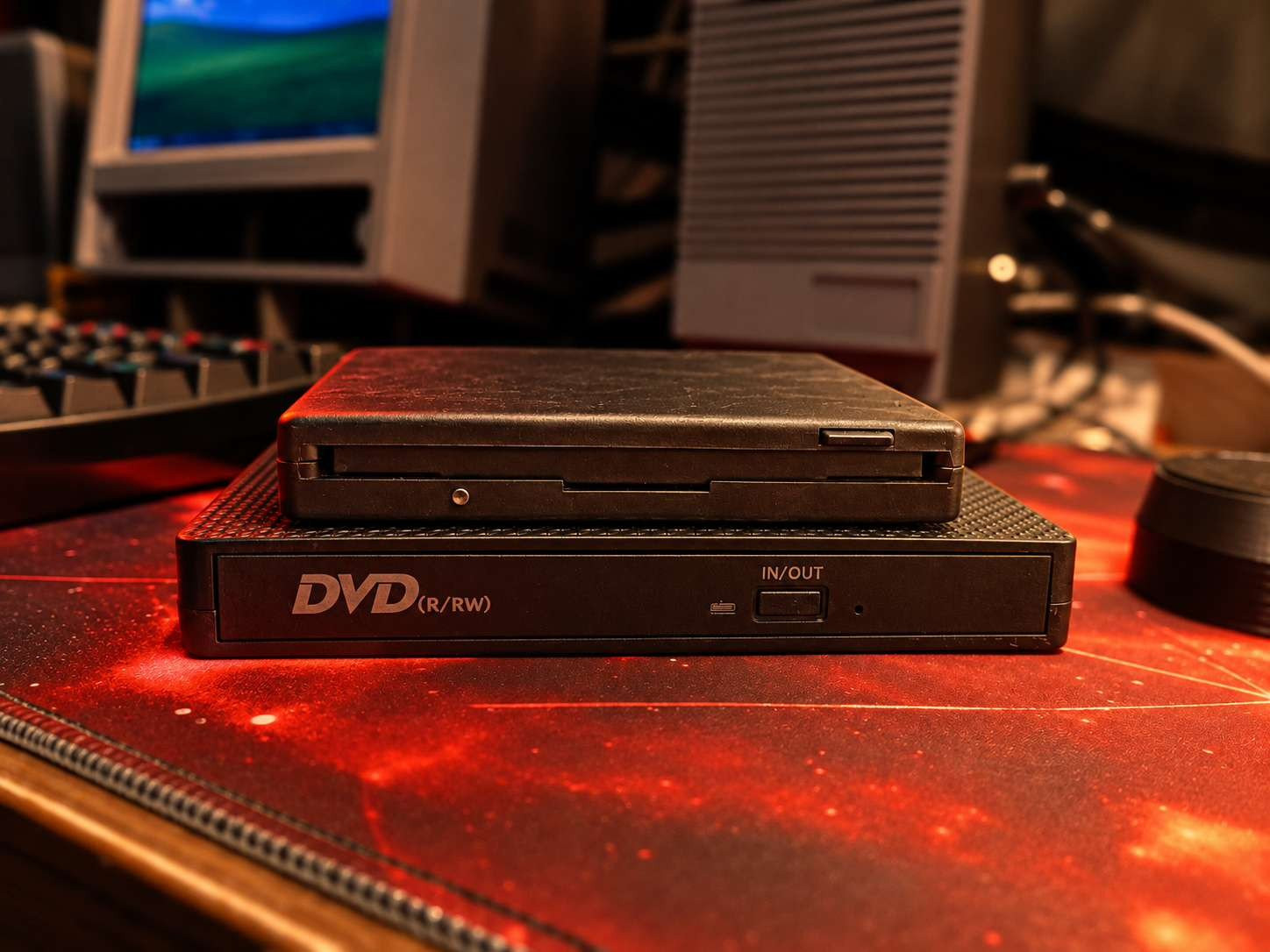
The speakers need some improvements, the keyboard is practically begging for a redesign, and I'm sure I'll find another completely unnecessary addition somewhere along the way.
But there's one thing I want to be clear about: I'm not trying to build an authentic vintage computer. This isn't a restoration project or a museum exhibit.
I want it to look like something I built myself. A collection of retro-inspired, slightly futuristic DIY projects that happen to work together.
There's also a small logistical problem: The setup currently lives in my soldering corner which means I now need to find somewhere else to solder.
Apparently, building a retro computer also involves redesigning the workshop.
Eventually, I want to give the whole thing a permanent desk of its own. And when I do, there's one final feature I want.
Disconnected
No notifications.
No endless scrolling.
No algorithm trying to convince me that I need to watch another video.
No news feed, no social media, no online noise.
Just a little 4:3 screen, some old games, questionable speakers, and a few hours to myself - offline
I spend plenty of time around modern technology. I like modern technology. I wouldn't trade most of its conveniences for the way things worked thirty years ago.
But sometimes it's nice to sit down in front of a computer that isn't constantly asking for your attention.
A computer that's there for one simple reason.
To enjoy it.
Maybe I'll play Duke Nukem II and listen to that Apogee intro again.
Maybe I'll build another completely straight racetrack in Stunts.
Maybe I'll finally get around to Diablo.
Or maybe I'll just sit there, look at this ridiculous little machine I've built, and think about what I could add next. I don't believe everything was better back then.
Far from it.
But there are a few things from yesterday that are worth building again.