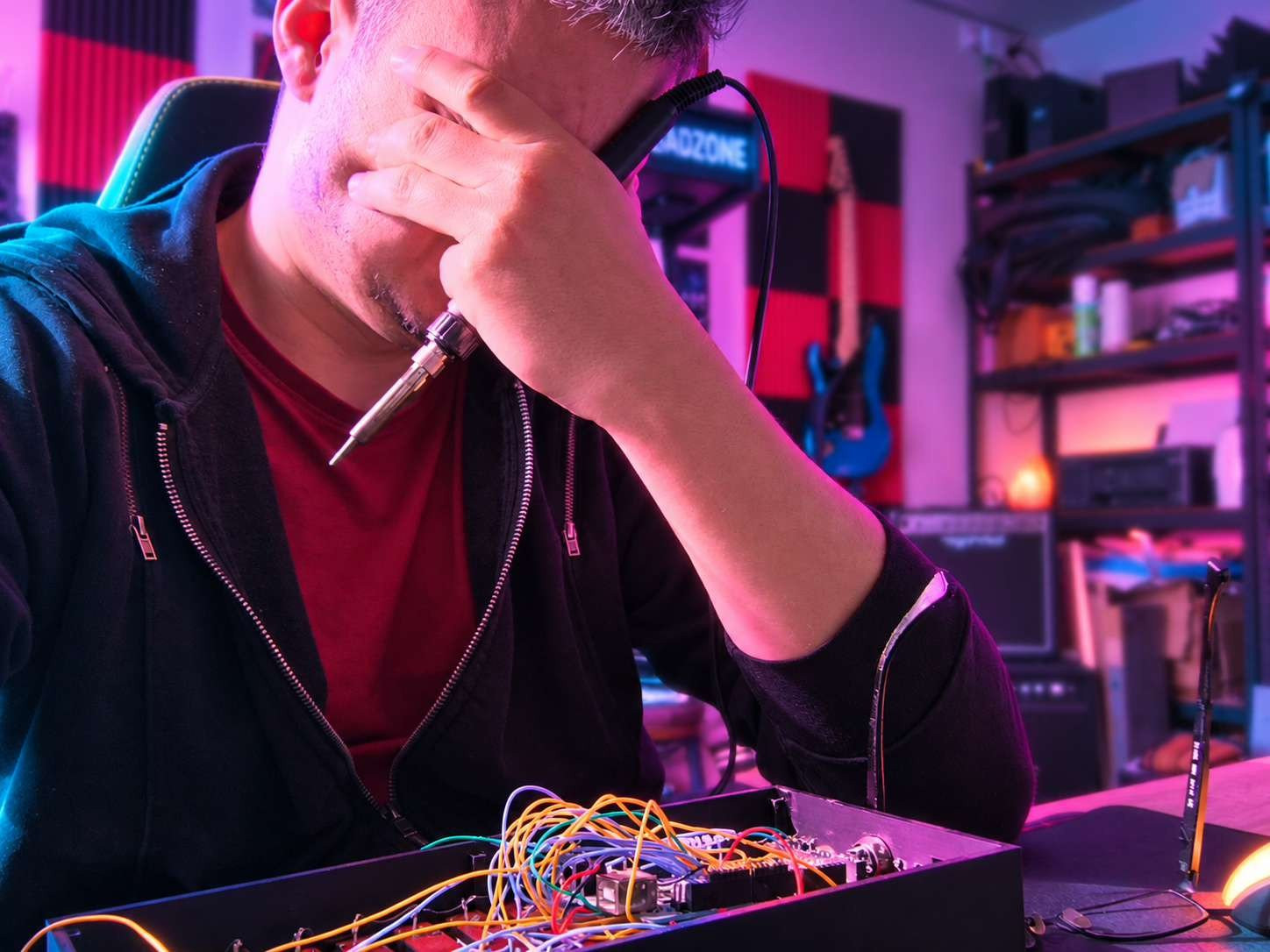
Mixing With My Eyes
I've been recording music for quite a while. Not professionally. I have a band, I play guitar / bass, and occasionally I need to turn a collection of riffs into something that resembles an actual song.
I did briefly entertain the idea of becoming a music producer. Then I remembered that I already had approximately seventeen other hobbies. At some point, you have to choose. So I settled on being what I like to call a demo producer.
And that's been incredibly useful.
When you're in a band, recording every new idea in a proper studio would be an excellent way to become poor. Sometimes you want to hear how a song works with two guitar parts, sometimes you want to change the drums, and sometimes you discover that the riff you've been playing for three weeks sounds considerably less impressive once you've actually recorded it.
For years, Guitar Pro 5 was useful for sketching out arrangements, but MIDI guitar sounds aren't exactly convincing. So I started working with REAPER.
I built myself a recording template with predefined guitar, drum, and vocal tracks, complete with the sounds and effects I normally use. Now, whenever I have an idea, I can open the template, plug in my guitar, and start recording. No spending half an hour configuring everything before I forget what I wanted to play.
Recording is fun.
Mixing, however... Mixing is where things get complicated.
You adjust the guitars, then the drums sound too quiet. You fix the drums, then the vocals disappear. You make another adjustment, listen again, change your mind, and eventually realize you've spent an hour moving the same three sliders back and forth.
And knowing when to stop? Good luck with that.
At some point, while following an audio production course, I learned something that stuck with me:
Beginners often mix with their eyes rather than their ears.
You stare at the meters, waveforms, and little numbers on the screen, making decisions based on what the mix looks like instead of what it actually sounds like. I realized I was doing that too. So I started wondering whether having physical controls might change the way I worked.
Imagine leaning back, listening to a track, and adjusting its volume with an actual fader rather than dragging a tiny rectangle around the screen with a mouse.
It might not make me a better mixing engineer. But it would certainly make the process more enjoyable.
And a desk full of physical faders looks pretty damn cool.
Apparently, I Need Eleven Faders
I started looking at commercial MIDI mixing controllers. There were some beautiful products out there, including professional control surfaces with motorized faders that could automatically move into position when you opened a project.
That was the dream. Unfortunately, the prices were somewhat less dreamy. And I was only recording demos for my band. Spending a fortune on a professional mixing console to produce slightly better-sounding crustpunk demos seemed a bit excessive.
So, I started looking at DIY solutions.
It didn't take long before the Arduino projects appeared. People were building all sorts of homemade MIDI controllers with potentiometers, buttons, rotary encoders, and surprisingly simple electronics.
But I didn't want a little plastic box with three knobs sticking out of it. I wanted something that looked and behaved like actual studio hardware. Something I'd be happy to keep on my desk.
So, in 2023, I opened Tinkercad and started designing. The first decision was how many controls I actually needed.
My recording workflow already had a fairly predictable structure. I normally record guitars across four tracks, with two tracks for each guitar part, so arranging the faders in pairs made sense.
I ended up with eleven channels. Ten regular track faders and one dedicated master fader. Each fader would have its own momentary button, which I could assign in REAPER to functions like mute, solo, or record-arm. That's eleven faders and eleven buttons.
I also added two rotary controls for additional parameters, such as adjusting a reverb mix or recording automation.
The master controls would sit separately at one end, making the rest of the board look like a series of paired channel strips.
On paper, it looked pretty good. Then I remembered something important.
My 3D printer wasn't infinitely large. A tragic limitation, really.
If You Can't Hide the Seams, Make Them Look Expensive
The controller was too large to print as one piece.
And there was another problem: my 3D printer at the time was a rather temperamental Creality machine. Getting a decent print out of that thing was sometimes an achievement in itself.
Fortunately, my friend and fellow Techmerc author, Protoxon, had my back. He handled the actual printing while I worked on the design.
I split the outer frame into two printable pieces, which were later glued together. The fader sections, button areas, and end panels were printed separately.
Back then, I was still relatively inexperienced with designing parts for 3D printing, and hiding the seams between glued pieces wasn't exactly my strongest skill.
But then I had an idea. Why hide the seams at all?
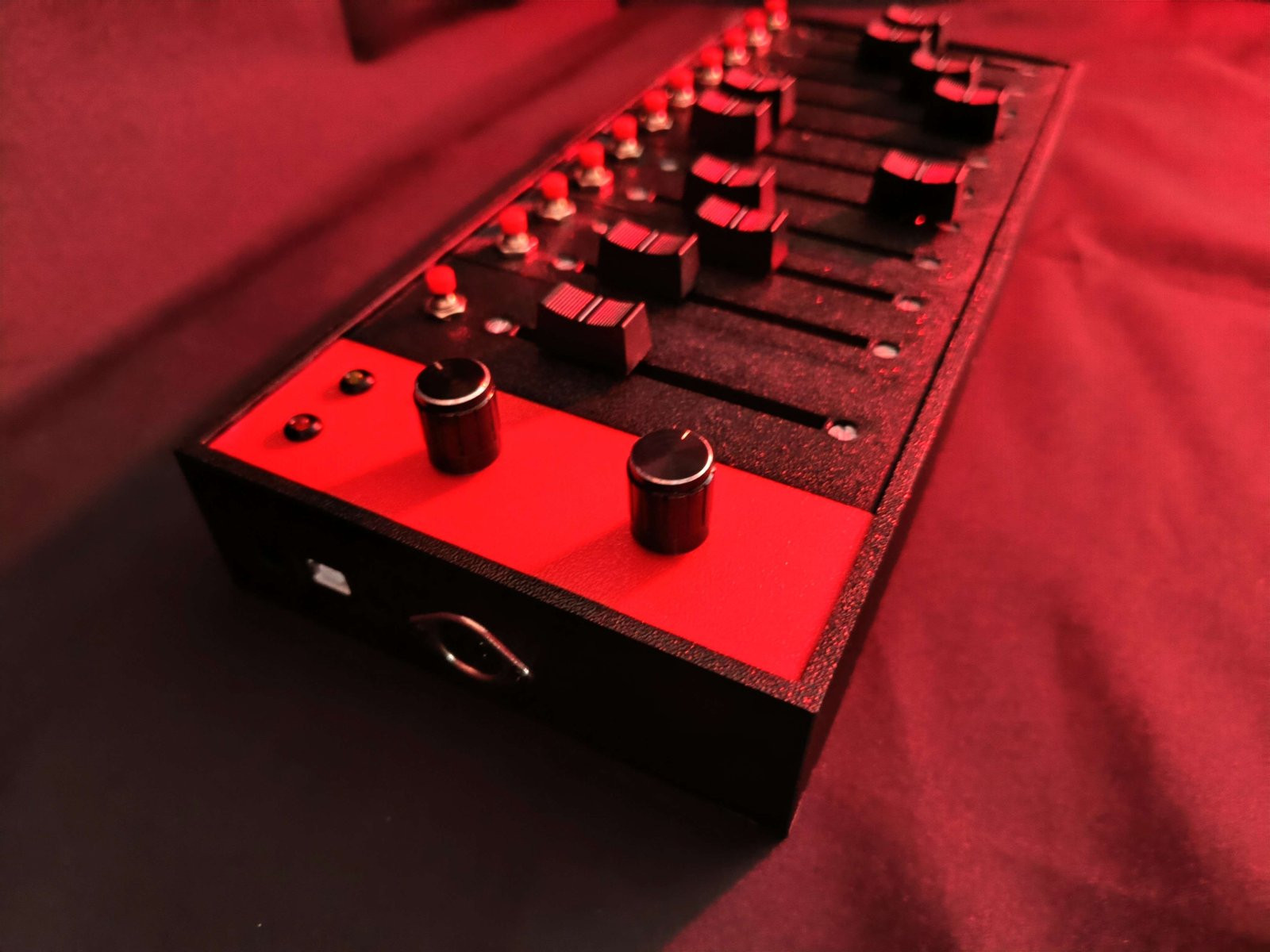
Professional studio equipment often uses visually separated channel strips. So instead of trying to make the whole controller look like one seamless piece, I designed it to resemble a collection of individual modules.
It wasn't actually modular. You couldn't remove a channel strip and replace it.
It just looked that way. And that was exactly the point.
I went with a black-and-red color scheme, with a textured black surface, red buttons, chunky fader caps, and a red end panel for the master controls and rotary knobs.
The result was considerably better than I expected.
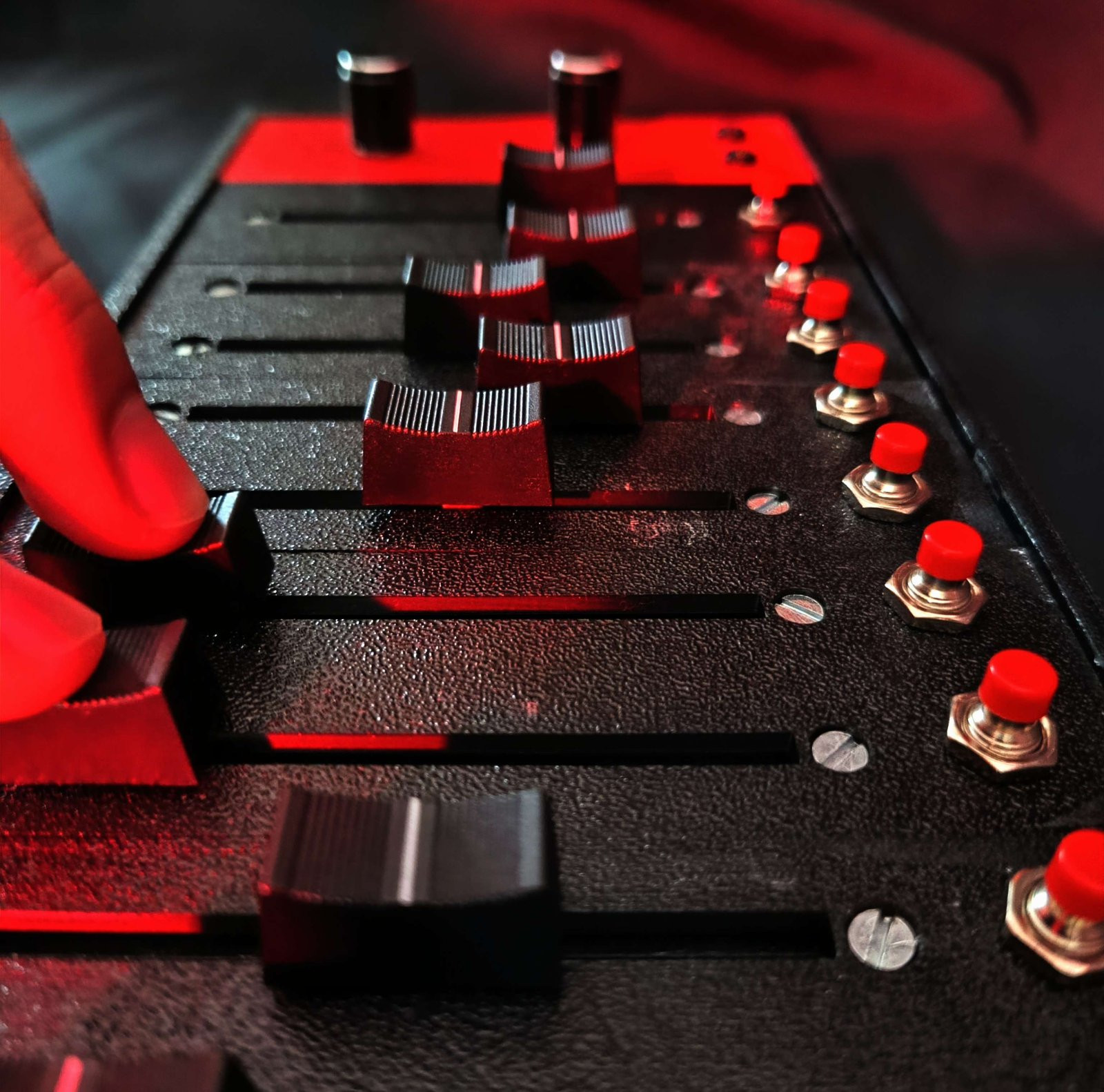
I even took proper product-style photographs of it. Looking at them now, the controller still looks pretty convincing.
Which makes what happened later considerably more annoying.
An Arduino Mega and a Lot of Wires
The electronics were built around an Arduino Mega. Not because I needed enormous processing power, but because I needed a lot of inputs.
Eleven analog faders, eleven buttons, two rotary controls, and a couple of status LEDs add up rather quickly. The Mega had enough pins to make the whole thing manageable without immediately reaching for additional input expanders or complicated circuitry.
I didn't design a custom PCB. Every fader and button was individually wired to the Arduino. And if you've ever wired that many components by hand, you probably know what happens next.
The inside becomes a wonderful collection of wires that only their creator could possibly understand.
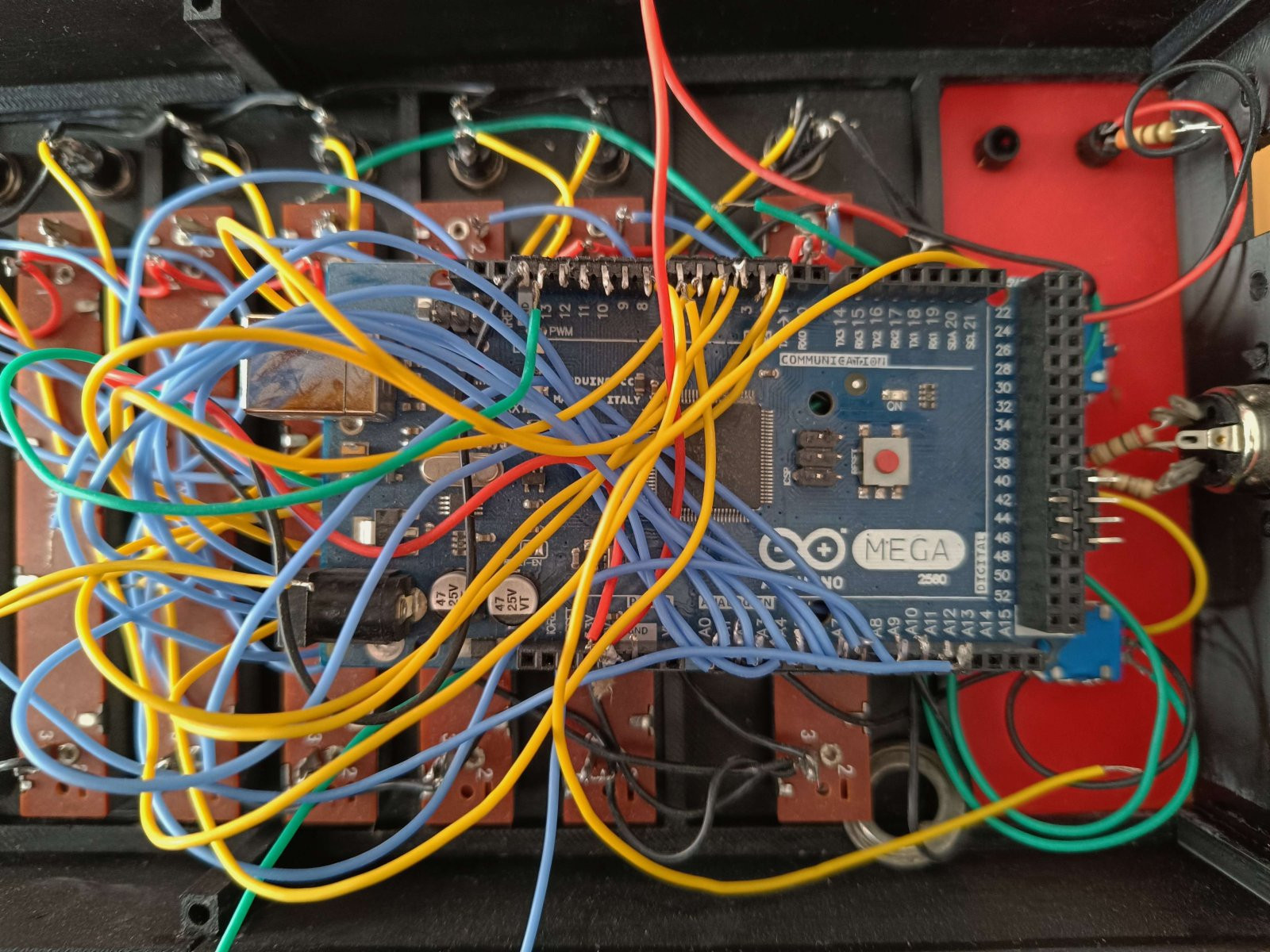
And sometimes not even their creator.
The controller used traditional MIDI communication. I added a proper 5-pin DIN MIDI OUT connector, which could be connected to my computer through a USB-MIDI interface.
But I also wanted a second option.
The Arduino's USB connection supplied power and could send serial data to a software bridge, which would translate it into MIDI messages on the computer. So I had two ways to communicate with REAPER. Traditional hardware MIDI through the DIN connector, or USB serial through a bridge.
I wrote the firmware myself.
This was near the end of the Stack Overflow era, before asking an AI to generate Arduino code became the most tempting way to avoid reading documentation.
I enjoyed that part. Reading the analog inputs, sending MIDI messages, handling the buttons and rotary controls — none of it was especially revolutionary, but it was satisfying to get everything communicating.
I also included two little status LEDs:
A red one indicated that the controller was powered on.
An orange one flashed whenever the Arduino transmitted data. Just like an old PC's hard-drive activity light.
That second LED turned out to be especially useful during debugging. If I moved a fader and the orange LED blinked, at least I knew the Arduino was trying to send something. If REAPER didn't respond, I could start looking at the serial bridge or MIDI configuration instead of immediately blaming the hardware.
Sometimes the simplest debugging tools are the most useful.
Making Cheap Faders Feel Less Cheap
I originally wanted motorized faders. You know, the wonderful kind that automatically move when you load a project or change a parameter in the software. Unfortunately, buying eleven of those would have made the project rather expensive.
So I settled for ordinary slide potentiometers. They worked, but the movement felt a little cheap and clunky. I experimented with a bit of oily contact cleaner to improve the feel. And surprisingly, it helped.
They didn't suddenly become premium studio faders, but they went from cheap and slightly unpleasant to something closer to mid-range hardware. I'll take that.
The other issue was electrical noise.
Analog potentiometers aren't perfectly stable. Even when you're not touching them, their readings can fluctuate slightly. And if you turn every tiny fluctuation into a MIDI message, your controller can start sending a constant stream of meaningless updates. I'd already encountered similar problems while experimenting with rotary controls, so I knew I needed some kind of filtering.
I ended up calibrating the faders almost exactly like setting up a noise gate for a guitar. First, I watched the raw analog readings while leaving the fader completely untouched.
The values fluctuated slightly. I increased the minimum-change threshold until that background noise disappeared.
Then I started testing.
I gently pressed down on the fader caps without actually moving them, simulating the tiny mechanical vibrations that might happen during normal use.
More unwanted changes. So I adjusted the threshold again.
Eventually, I reached a point where the faders remained perfectly quiet when untouched, but responded immediately when I deliberately moved them.
No noticeable lag. No constant stream of garbage MIDI data. Just the movements I actually wanted.
It wasn't some sophisticated digital signal processing system. It was a carefully calibrated deadband. And it worked beautifully.
At this point, I was feeling pretty good about the whole project.
Which, as it turns out, was a mistake.
The Most Unfortunate Drop of Solder
I had rushed through the construction. Not because the project was particularly difficult, but because I was excited to see the finished controller.
The enclosure came together quickly.
The electronics were straightforward.
The firmware was working.
The soldering took the longest, mostly because there were so many individual connections to make.
And in my enthusiasm, I skipped one rather important step.
I hadn't properly tested the buttons before soldering all eleven of them into the controller. Surely, brand-new momentary switches would work.
Right? Well...
I connected everything, opened REAPER, and started testing.
The faders worked. Beautifully. The rotary controls worked too. MIDI communication was working.
The controller was actually controlling the software. Success!
Then I tried the buttons.
Click. Nothing.
Click again. Still nothing.
Third click. Oh, there it is!
I tried another button. Same problem. And another. And another.
Apparently, I'd managed to buy an entire collection of defective momentary switches.
Some registered only every second or third press. Which isn't particularly useful when a button is supposed to mute a track, enable solo, or start recording.
Imagine trying to record a guitar part and wondering whether the record-arm button had actually done anything.
Not ideal. So I made a decision.
I'd remove the faulty switches and replace them with a different type. Annoying, but manageable.
All I had to do was desolder eleven buttons, install the replacements, and get back to mixing. Simple.
I heated up the soldering iron and started removing the first switch.
Then, as I moved the iron away from the connection, a large drop of molten solder fell from the tip.
Directly onto the Arduino Mega. Not onto an empty section of the board. Not onto a convenient piece of plastic.
No. Right onto the tiny legs of the microcontroller. In the middle of the board.
Of course!
I immediately tried to remove the solder. But instead of solving the problem, I managed to burn up the pcb during the cleanup.
And at some point, I realized I was making everything worse. So I stopped. Put the soldering iron down.
And walked away.
Because sometimes the smartest engineering decision is to leave the room before your head explodes.
All because I couldn't be bothered to test eleven cheap switches before soldering them into the finished machine.
Wonderful.
Almost Finished. Since 2023.
I didn't immediately give up. After calming down, I ordered another Arduino Mega. It arrived.
And that's pretty much where the story ends.
The controller still exists. The replacement board is waiting. I even have the original firmware and Tinkercad design saved on my NAS.
I'm rather obsessive about keeping old project files, even the ones that will probably never be useful again.
And occasionally, they actually are useful. Need a reminder of how I handled rotary encoders? There's an old project for that.
Need calibrated code for filtering noisy analog inputs? I already wrote some.
Nowadays, AI can help with a lot of those little programming problems, but I still like having my own tested examples to look back at.
So technically, getting this thing working again shouldn't be particularly complicated:
Replace the Arduino.
Install decent switches.
Reconnect everything.
Test it properly this time.
And finally, use it to mix an actual song.
Because that's the funniest part.
I never used the controller to finish a single demo.
Its entire working life consisted of one successful test session, followed almost immediately by a hardware disaster.
I built a device to make music production faster and more enjoyable. Then spent far more time building it than I would have spent mixing several songs with a mouse.
And I still ended up using the mouse.
But I don't consider the project a waste. I learned quite a bit about MIDI communication, analog input filtering, enclosure design, and why you really should test components before permanently soldering them into something.
I also learned that a carefully designed piece of electronics can look surprisingly professional from the outside while hiding an absolute jungle of wires inside.
And that one tiny accident can undo a remarkable amount of work.
Although, I've already started thinking about what a second version could look like.
With motorized faders.
Imagine switching between my crustpunk band's REAPER project and one of my retrowave or industrial music projects, and watching all eleven faders automatically move into their saved positions.
Or adjusting a track's volume on screen and seeing the physical fader follow along. Completely unnecessary for recording demos. Absolutely wonderful.
Of course, that would mean motor drivers, position feedback, more complicated electronics, and bidirectional communication with REAPER. So naturally, it's becoming more appealing the longer I think about it.
But first, I should probably finish the original.
The replacement Arduino has been waiting patiently since 2023.
At this point, I think it's entitled to a little attention.
And next time, I'll test the buttons first.